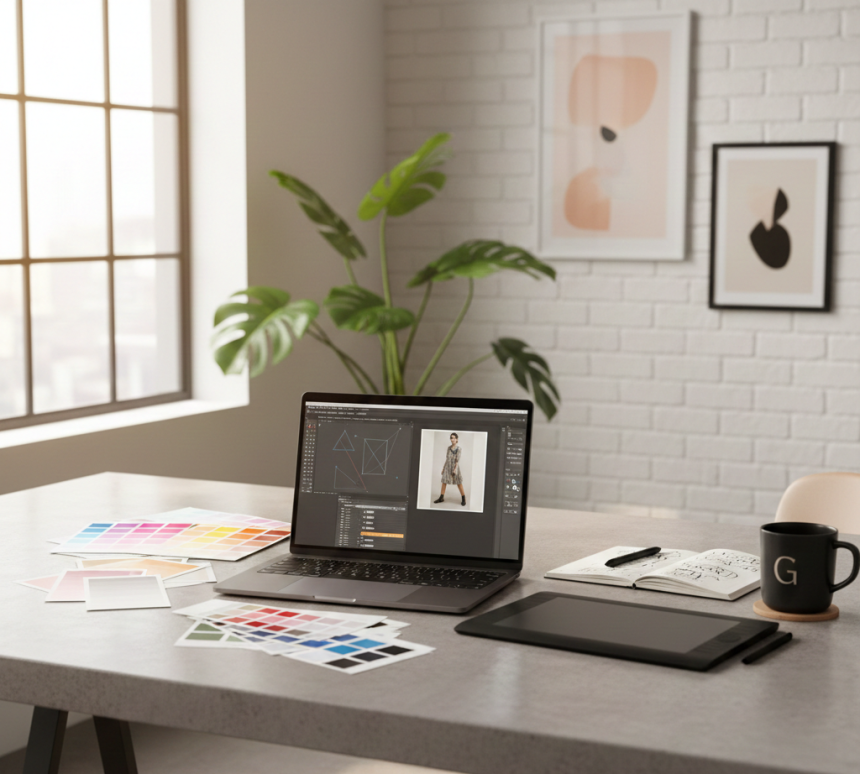

Ultimate Graphic Designing Guide: Tools, Trends, Branding & Motion Graphics
Learn graphic design with detailed tips, AI tools, UI/UX principles, motion graphics, branding strategies, portfolio-building projects, and real-world design examples. Perfect for beginners and professionals.
Mastering Graphic Design: Creativity, Trends, and Practical ExpertiseIntroduction: Graphic Design in the Modern Digital Era
Graphic design is no longer just creating visually appealing images; it’s a strategic tool to communicate, influence, and engage audiences.
In the modern digital landscape, businesses, startups, content creators, educators, and professionals all rely on strong visual communication to stand out. A powerful design speaks louder than words, captures attention, and leaves a lasting impression.
Graphic design is a blend of creativity, technology, and psychology. It helps you convey complex ideas simply, evoke emotions, and encourage actions.
Pro Tip: Begin every design project by asking, “What problem am I solving?” Understanding the purpose ensures your design is both beautiful and meaningful.
Fundamental Principles of Graphic Design
Every professional design is built on core principles that ensure clarity, impact, and visual appeal:
- Balance: Achieve visual stability using symmetry or intentional asymmetry.
- Contrast: Make key elements pop using color, size, shape, and texture differences.
- Hierarchy: Guide the viewer’s eye to highlight the most important elements first.
- Alignment: Proper alignment creates organized layouts and enhances readability.
- Repetition: Consistency strengthens brand identity across multiple media.
- Proximity: Group related items to make the design intuitive and easy to understand.
- White Space: Don’t overcrowd your design; strategic space improves clarity and focus.
Example: A landing page with a bold headline, supporting visuals, and a clear call-to-action employs balance, hierarchy, and contrast to maximize engagement.
Tools Every Graphic Designer Must Master
To bring creative visions to life, designers rely on a combination of software tools and hardware:
- Software Essentials:
- Adobe Photoshop: Photo editing, compositing, and visual effects.
- Adobe Illustrator: Vector graphics, logo creation, and illustrations.
- Adobe InDesign: Print layouts, brochures, and magazines.
- Figma & Sketch: UI/UX design for web and mobile apps.
- Canva & Affinity Designer: Quick content creation and marketing materials.
- Blender & After Effects: Motion graphics and 3D illustrations.
- Hardware Essentials:
- High-resolution monitors for accurate color representation.
- Graphic tablets like Wacom or Huion for precise drawing and illustration.
- High-performance laptops or desktops capable of handling heavy software.
Pro Tip: Focus on mastering one software at a time. Deep expertise in one tool is far more valuable than superficial knowledge of many.
Typography: Communicating Through Fonts
Typography isn’t just about choosing pretty fonts; it’s about communicating tone, hierarchy, and emotion:
- Font Selection: Serif fonts convey formality and tradition, while sans-serif fonts reflect modernity and simplicity.
- Pairing Fonts: Combine fonts that complement each other, maintaining readability and aesthetic harmony.
- Hierarchy and Size: Use font size, weight, and spacing to establish content hierarchy.
- Kerning and Leading: Adjust spacing between characters and lines for readability and design balance.
Practical Tip: Always test your typography in different sizes and mediums to ensure clarity.
Color Theory: The Psychology of Design
Colors are powerful tools that influence perception, mood, and behavior:
- Color Schemes: Complementary, analogous, and triadic schemes help create harmony.
- Emotional Impact: Blue evokes trust, red stimulates urgency, and yellow conveys optimism.
- Brand Identity: Use consistent brand colors across all visuals to build recognition.
- Accessibility: Ensure color contrast for readability by visually impaired users.
Example: A marketing campaign uses vibrant, contrasting colors to highlight the main offer, increasing engagement.
Designing for Digital Platforms
Design for web, mobile, and social media requires specific considerations:
- Responsive Design: Visuals must adapt to desktops, tablets, and mobile devices.
- UI/UX Principles: Focus on user-friendly navigation, clarity, and accessibility.
- Optimized Images: Compress and resize images to improve page load speed without losing quality.
- Content Types: Social media posts, banners, infographics, app interfaces, email campaigns.
- Tools for Digital Design: Figma, Adobe XD, Canva, Sketch.
Pro Tip: Keep user experience at the core; beautiful visuals without usability fail to engage.
Print Design Essentials
Even in a digital world, print design is crucial for marketing and branding:
- Business Cards, Flyers, Posters: Maintain consistent typography, color, and layout.
- Resolution & DPI: 300 DPI ensures crisp, professional print output.
- CMYK vs RGB: Design in CMYK for print; RGB for digital.
- Proofing: Always check a test print for alignment, color, and legibility.
Example: A restaurant menu printed in vibrant colors and clean typography can enhance customer experience.
Branding and Identity Design
Graphic designers shape how brands are perceived:
- Logo Creation: Simple, memorable, versatile, and aligned with brand values.
- Brand Guidelines: Define colors, fonts, imagery, and tone of voice.
- Consistency Across Platforms: Ensure social media, websites, packaging, and advertisements reflect the same visual identity.
Example: A startup using cohesive design in its app, website, and social media builds strong recognition and trust.
Motion Graphics and Animation
Animation adds engagement and storytelling power:
- Software: After Effects, Blender, Adobe Animate.
- Applications: Video ads, explainer videos, social media posts, presentations.
- Design Tips: Keep animations purposeful, smooth, and consistent with branding.
- Micro-interactions: Add subtle animations in apps and websites for better UX.
Pro Tip: Motion graphics increase user attention, retention, and shareability.
AI in Graphic Design
AI is transforming design workflows:
- Concept Generation: Tools like DALL·E and MidJourney create unique visual ideas instantly.
- Efficiency: AI helps resize, retouch, and enhance images faster.
- Generative Design: Experiment with patterns, layouts, and color palettes automatically.
Advice: Use AI for inspiration and efficiency, but apply human creativity to maintain originality.
Creative Project Ideas for Designers
Hands-on projects accelerate skill growth:
- Social Media Campaign: Create graphics for a brand’s Instagram, Facebook, and LinkedIn.
- Logo Redesign Challenge: Choose an existing brand and reimagine its logo.
- Infographics: Convert data-heavy content into visually engaging graphics.
- UI/UX App Prototype: Design a mobile app interface with clickable elements.
- Animated Banner: Produce a 5–10 second motion graphic for online advertising.
- Branding Kit: Develop a complete brand identity, including logo, typography, and color palette.
Document all projects in your portfolio to demonstrate creativity and problem-solving ability.
Staying Updated with Design Trends
Graphic design trends evolve rapidly:
- Minimalism and bold typography
- Vibrant gradients, 3D illustrations, and realistic textures
- AR/VR and immersive design experiences
- Micro-interactions and interactive UI
- Eco-friendly and sustainable design approaches
Pro Tip: Follow design communities, online courses, and blogs to stay ahead.
Portfolio Building & Career Growth
Your portfolio reflects your skills, creativity, and value as a designer:
- Include personal, freelance, and concept projects.
- Show before-and-after transformations to highlight problem-solving.
- Update regularly with new trends and techniques.
- Use platforms like Behance, Dribbble, and your personal website to showcase work.
Recruiters and clients often value a strong portfolio more than formal degrees.
Practical Tips for Beginners
- Start small, with manageable projects.
- Experiment with different styles, layouts, and tools.
- Analyze trending designs for inspiration.
- Participate in online design challenges.
- Seek feedback from peers or mentors.
- Dedicate time daily to hands-on practice for faster skill growth.
Consistent creativity and practice lead to mastery and confidence.

Hands-On: Debugging Techniques Every Developer Should Know with Tally...


Learn Tally ERP 9 & Tally Prime – Complete Accounting & GST Course for...