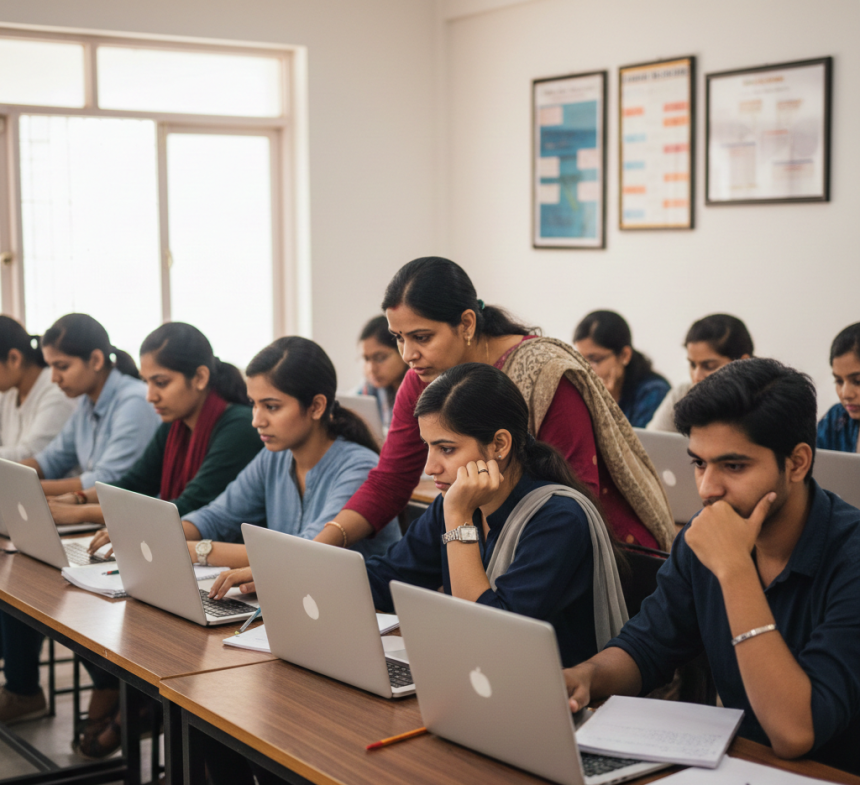

Basic Computer Skills Training in Indore for Students & Professionals
Learn basic computer skills in Indore with practical training at AI Computer Classes. Master MS Office, typing, internet, and digital fundamentals.
Basic Computer Skills: The Foundation of Digital Literacy and Modern CareersIntroduction: Why Basic Computer Knowledge Matters Today
Aaj ke digital era me basic computer knowledge sirf ek skill nahi, balki daily life aur career ka foundation ban chuki hai. Chahe student ho, working professional ho, business owner ho ya beginner, computer skills ke bina growth slow ho jaati hai.
Indore jaise rapidly developing city me, jahan education aur technology dono grow kar rahe hain, basic computer training har age group ke liye essential ho chuki hai.
Basic computer skills seekhna matlab:
- digital duniya ko confidently use karna
- job opportunities ke liye ready hona
- productivity aur efficiency badhana
What Is Basic Computer Education?
Basic computer education ka matlab hai computer ke fundamental concepts aur practical usage ko samajhna. Isme sirf theory nahi hoti, balki hands-on practical learning hoti hai.
A basic computer course generally includes:
- computer fundamentals
- operating system usage
- typing skills
- MS Office tools
- internet & email usage
- digital safety basics
Yeh sab skills milkar ek strong digital foundation create karti hain.
Computer ek electronic machine hai jo:
- data input leti hai
- Use process karti hai
- meaningful output deti hai
Basic computer knowledge beginners ko yeh sikhati hai ki:
- computer ka use kaise karein
- Software aur hardware ka role kya hota hai
- daily tasks ko digitally kaise manage karein
Yahi foundation future advanced courses ke liye base banati hai.
Hardware wo physical parts hote hain jo hum dekh aur touch kar sakte hain:
- CPU
- Monitor
- Keyboard
- Mouse
- Printer
Basic computer courses teach us the practical usage of various components.
Software computer ko instructions deta hai ki kya kaam karna hai:
- Operating systems
- Application software
- Utility programs
Beginners ke liye software understanding confidence boost karti hai.
Operating system computer ka main controller hota hai.
Popular operating systems:
- Windows
- Linux
- macOS
Basic computer training me students seekhte hain:
- system start & shutdown
- files & folders manage karna
- settings aur controls use karna
File management ek essential computer skill hai.
Isme aata hai:
- folders banana
- file rename karna
- data organize karna
- Storage devices use karna
Yeh skill productivity aur data safety dono ke liye important hai.
Basic computer course ka sabse important part hota hai MS Office.
MS Word- documents create karna
- formatting
- resumes & letters banana
- data entry
- basic formulas
- tables & calculations
- presentations banana
- slides design karna
- professional communication
MS Office skills job-oriented aur universally accepted hoti hain.
Computer typing ek basic lekin powerful skill hai.
Typing skills se:
- speed improve hoti hai
- accuracy badhti hai
- work efficiency increases hoti hai
Basic computer training for me:
- keyboard layout
- typing practice
- speed development
par focus kiya jaata hai.
Internet basic computer education ka essential part hai.
Students seekhte hain:
- web browsing
- search engines use karna
- email create aur manage karna
- attachments and online communication
Internet skills ke bina modern digital life incomplete hai.
Basic computer course me digital safety bhi sikhayi jaati hai:
- strong passwords
- phishing se bachav
- safe browsing
- data privacy basics
Yeh awareness beginners ko confident aur secure banati hai.
Students ke liye basic computer knowledge:
- academic projects me help karti hai
- Online learning ko easy banati hai
- future IT courses ke liye ready karti hai
Early computer education long-term success ka base hoti hai.
Job seekers ke liye:
- Computer certificate ek advantage hota hai
- office work easily handle hota hai
- confidence improve hota hai
Indore me many entry-level jobs basic computer skills demand karti hain.
Working professionals ke liye:
- productivity improve hoti hai
- digital tools ka better use hota hai
- Career growth faster hoti hai
Computer literacy is valuable hai.
Random YouTube videos se basics clear nahi hote.
Structured basic computer course:
- step-by-step learning details hai
- practical exposure detail hai
- Doubts clear karta hai
Isse strong foundation build hoti hai.
AI Computer Classes provide karta hai:
- beginner-friendly training
- practical learning approach
- experienced instructors
- career-focused guidance
Yahan basic computer skills sirf sikhayi nahi jaati, balki confidence build kiya jaata hai.
AI Computer Classes – Indore
📍 208, Captain CS Naidu Building, near Greater Kailash Road, Old Palasia, Indore, Madhya Pradesh 452018
📞 +91 91113 33255
✉ hello@aicomputerclasses.com
Artificial Intelligence 2026 – Unique Applications, Trends & Real-Life...
📸 Practical Guide: Use Lightroom for Photo Enhancements with Power BI
Edit Short Form Video for Social Media — Complete Guide
Edit Short Form Video for Social Media — Complete Guide. Get practical lessons and hands-o...